
enVision Cloud / API Guide / Shipment Media
API v2
API endpoint for retrieving Shipment Media from enVision Cloud
Overview
enVision Cloud provides capability to download images and videos attached to a shipment.
You must include a valid Bearer token in the Authorization header of any request to enVision Cloud APIs. Tokens can be managed in the enVision Cloud Portal
Endpoints
Get Media
Returns the file that is associated with the specific shipment and content id. This can be accessed at the following endpoint.
/api/v2/shipmentmedia/{shipmentId}/{contentId}
Response Format
The response is the file itself, with the Content-Type of the file that was saved. It is sent as an attachment.
Example Reponses
- A JPEG encoded image captured during the measure operation for the shipment.
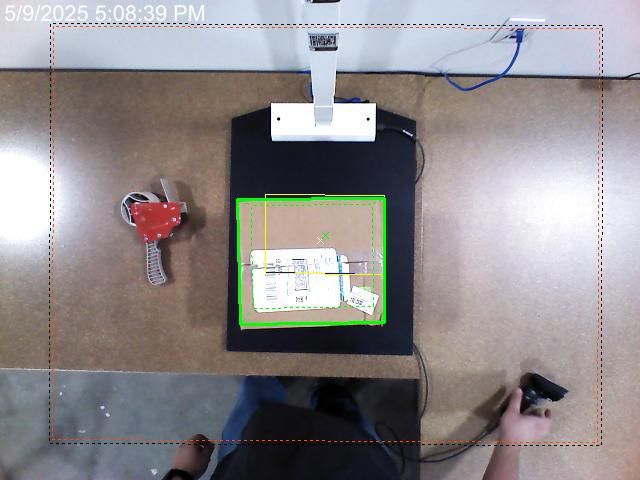
- An MP4 encoded video captured before measuring an object.
Request Parameters
| Parameter | Required | Description |
|---|---|---|
| shipmentId | Yes | the Id of the shipment you wish to fetch the media for |
| contentId | Yes | the Id of the media attached to the shipment |
Example Request
curl "https://api.ece.phdsolutions.ca/api/v2/shipmentmedia/00000000-0000-0000-abcd-012345678901/427a1c3a-b47e-4e8b-bef9-0a3ba47a7d9d" \
-X GET \
-H "Authorization: Bearer YOUR_AUTH_TOKEN"
--output "output.jpg"